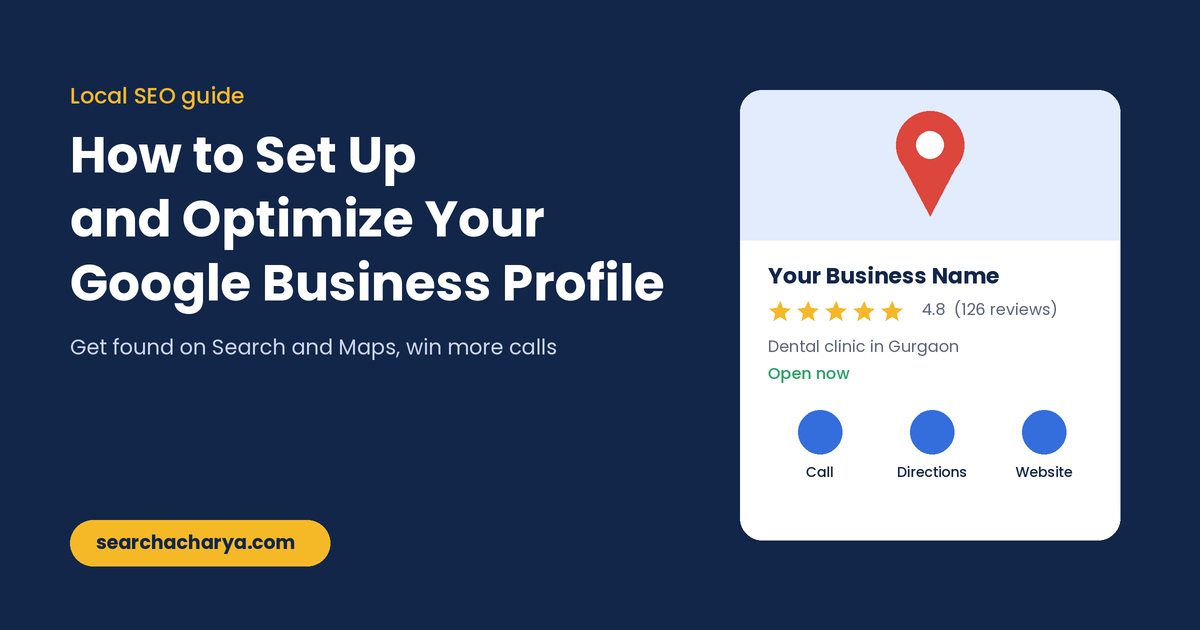
A simple guide to setting up, verifying and optimizing your Google Business Profile. Learn which details matter most, how to get more reviews, what to post and the mistakes that hold local businesses back on Google Maps.
To set up a Google Business Profile, sign in at business.google.com, add your business name, category, location and contact details, then verify it. To optimize it, fill in every field, add real photos, collect and reply to reviews, and post updates regularly.
That is the short version. The longer version is where most businesses lose ground. Plenty of owners create a profile, verify it and never touch it again. Then they wonder why a competitor two streets away shows up first on Google Maps.
This guide walks through the full process, from a blank profile to one that actually brings in calls, website visits and walk in customers.
What Is a Google Business Profile and Why Does It Matter?
A Google Business Profile is the free listing that appears on Google Search and Google Maps when people look for your business or for services near them. It shows your name, rating, reviews, hours, photos, phone number and directions in one place.
For a local business, it is often the first thing a customer sees, before your website and before your social media. When someone searches "dentist near me" or "best cafe in Gurgaon," the businesses in the map results get most of the attention and most of the calls.
It also feeds Google's AI answers. When people ask Google or Maps a question about local businesses, the answer is built from profile details, reviews and website content. A complete profile gives Google better information to work with.
How to Set Up Your Google Business Profile

- Sign in to Google Business Profile. Go to business.google.com and sign in with the Google account you want to manage the business from. Use a business email if you have one, not a personal account you might lose access to.
- Search for your business. Type your business name. If it already exists on Maps, you can claim it. If not, choose to add a new business.
- Enter your business name exactly as customers see it. Use the name on your signboard, website and invoices. Do not add keywords or city names to it.
- Choose your primary category. Start typing and pick the closest match, such as "Dental clinic" rather than just "Clinic." You can add more categories later.
- Add your location or service area. If customers visit you, add your full address. If you travel to customers, hide the address and list the areas you serve.
- Add your phone number and website. Use a local number that is answered during business hours, and link to the most relevant page of your site.
- Verify your business. Google will show the verification options available for your business. Complete it before you spend time on optimization.
How to Verify Your Business
Verification proves to Google that you actually own or run the business. Until it is done, your edits may not go live and the profile cannot reach its full visibility.
Depending on your business type and location, Google may offer one or more of these options:
- Video recording. You record a short continuous video showing your location, signage, the inside of the business and proof of ownership such as tools or documents.
- Phone or text. A code is sent to your business number.
- Email. A code is sent to an email address linked to the business.
- Postcard. A code is mailed to your business address. This is slower and less common now.
For video verification, film in daylight, show the street or nearby landmark first, then the signboard, then the inside. Keep it as one unedited clip. Most rejections happen because the video does not clearly connect the business to the address.
How to Optimize Your Google Business Profile
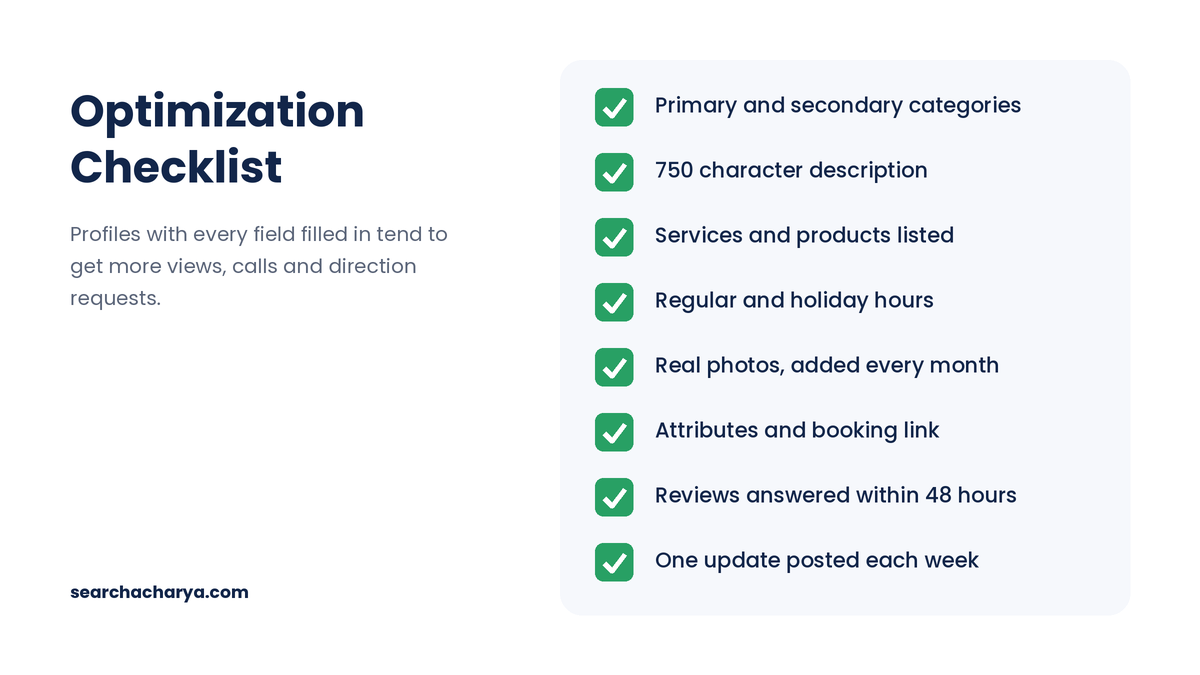
A verified profile is only the starting point. Here is what to work on next, roughly in order of impact.
1. Get your categories right
Your primary category is one of the strongest signals for which searches you appear in. Look at the top three businesses ranking for your main keyword and see which primary category they use. Add secondary categories only for services you really offer.
2. Write a helpful business description
You get 750 characters. Use the first two lines to say what you do, who you serve and where. Then mention your main services, what makes you different and how long you have been around. Write for customers, not for search engines, and skip links, offers and keyword stuffing.
3. Keep your name, address and phone number consistent
Your business name, address and phone number should match exactly on your profile, website, Justdial, Facebook, IndiaMART and every other listing. Small differences such as "Sec 84" in one place and "Sector 84" in another can weaken Google's trust in your details.
4. Add services and products
List each service separately with a short description and, where it makes sense, a price. These help you show up for more specific searches and give Google's AI more material to answer customer questions accurately.
5. Set accurate hours, including holidays
Nothing annoys a customer more than driving to a shop that Google said was open. Update special hours before Diwali, Holi, Christmas and any other day you close early or stay shut.
6. Upload real photos regularly
Add your logo, a cover photo, the outside of your building, the inside, your team at work and your products or finished jobs. Real photos taken on a phone often do better than polished stock images. Try to add a few new ones every month so the profile stays fresh.
7. Fill in attributes and links
Attributes tell customers useful details at a glance, such as wheelchair access, free WiFi, online appointments or women led business. Add booking, menu or order links if they apply to you.
How to Get More Google Reviews (the Right Way)
Reviews affect both your ranking and whether people choose you. A business with 120 recent reviews at 4.6 stars will usually win the click over one with 8 reviews at 5 stars.
- Ask every happy customer. The best moment is right after a good experience, in person or by WhatsApp.
- Make it easy. Share your direct review link from the profile dashboard, or print it as a QR code at your counter.
- Keep the request neutral. Ask for honest feedback, not only five star reviews.
- Never pay or offer discounts for reviews. Google treats this as a policy violation and can remove reviews or restrict your profile.
- Reply to every review. Thank people for positive ones. For negative ones, stay calm, apologise where it is fair and offer to sort it out offline.
Replying shows future customers that a real person cares, and it keeps your profile active in Google's eyes.
Post Updates and Keep Your Profile Active
Google Business Profile lets you publish updates, offers and events directly on your listing. Aim for one post a week. Share a new product, a recent project, a seasonal offer or a quick tip. Add a clear photo and a button such as Call, Book or Learn more.
Posts are not a magic ranking trick, but an active profile tells customers you are open and responsive, and it gives Google fresh information about what you do.
How Google Decides Who Ranks in Local Results
Google has said that local results are based mainly on three factors. Understanding them helps you focus your effort where it counts.
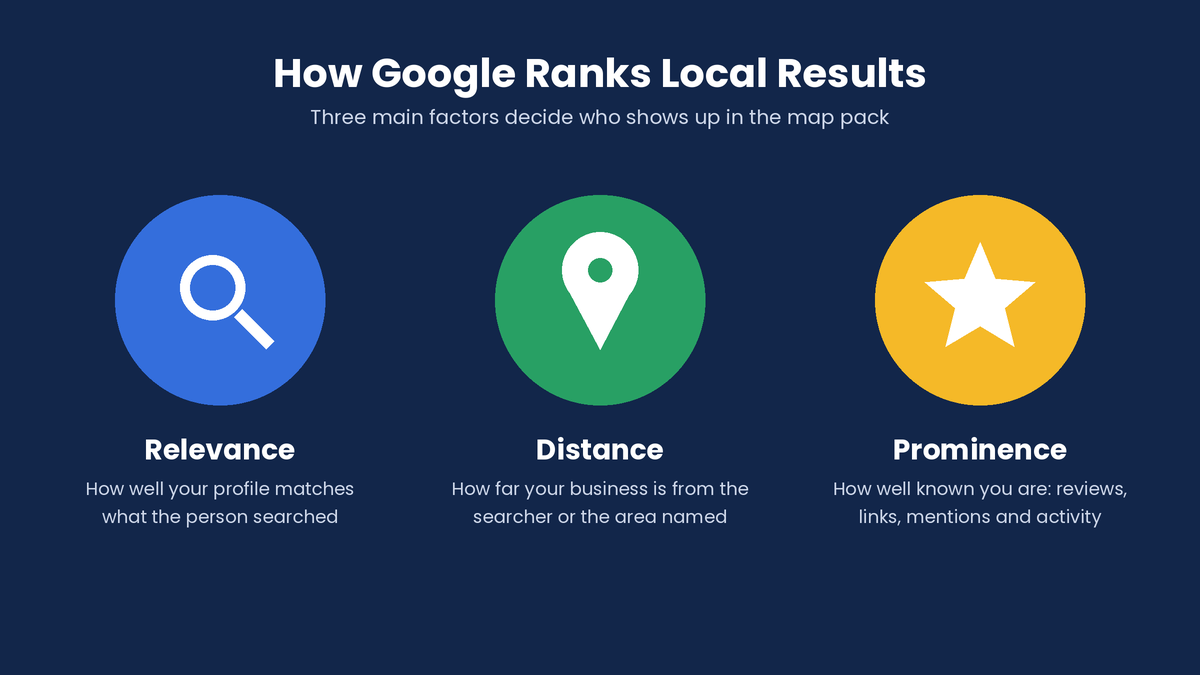
- Relevance: how well your profile matches the search. Categories, services and description drive this.
- Distance: how close you are to the searcher or the location in the search. You cannot change this, so do not fake addresses.
- Prominence: how well known and trusted your business is. Reviews, ratings, links, mentions across the web and your own website all play a part.
Track Your Results
Open the Performance section in your profile once a month. Look at how many people found you, which searches showed your profile, and how many called, asked for directions or visited your website. If a number drops, check whether something changed, such as your hours, category or photos.
Add UTM tags to your website link so you can also see Google Business Profile visits separately in Google Analytics.
Common Mistakes to Avoid
- Adding keywords or city names to your business name
- Using a virtual office or someone else's address
- Creating more than one profile for the same location
- Choosing too many unrelated categories
- Uploading only stock photos or images with heavy text
- Ignoring reviews, especially negative ones
- Forgetting to update hours during holidays
- Setting it up once and never logging in again
Several of these can get a profile suspended, which is far harder to fix than to avoid.
Frequently Asked Questions
Is Google Business Profile free?
Yes. Creating and managing a Google Business Profile is completely free. You only pay if you choose to run Google Ads or Local Services Ads alongside it.
How long does Google Business Profile verification take?
Video, phone and email verification can be done in a few minutes, though Google may take up to a few days to review it. Postcard verification usually takes one to two weeks for the code to arrive.
Can I create a Google Business Profile without a shop address?
Yes. Service area businesses such as plumbers, electricians and home tutors can hide their address and list the cities or areas they serve instead.
How do I rank higher on Google Maps?
Choose the most accurate primary category, fill in every field, keep your name, address and phone number the same everywhere online, collect genuine reviews regularly and keep the profile active with fresh photos and updates.
How many categories should I choose?
Pick one primary category that best describes your main business, then add a few secondary categories only for services you genuinely offer. Adding unrelated categories can confuse Google and hurt relevance.
What happened to the Q&A section on Google Business Profile?
Google began phasing out the public Q&A section in late 2025. Its AI features now answer customer questions using your profile details, reviews and website, so keeping that information complete and accurate matters more than ever.
Final Thoughts
Setting up a Google Business Profile takes less than an hour. Optimizing it is an ongoing habit: accurate details, real photos, steady reviews and a few minutes of attention every week. Businesses that keep at it usually see more calls and visits within a few months.
Start with the checklist above, fix one thing a day, and your profile will be in better shape than most of your competitors' by the end of the week.
Want more practical guides like this? Explore Search Acharya, or write to us at support@searchacharya.com.