
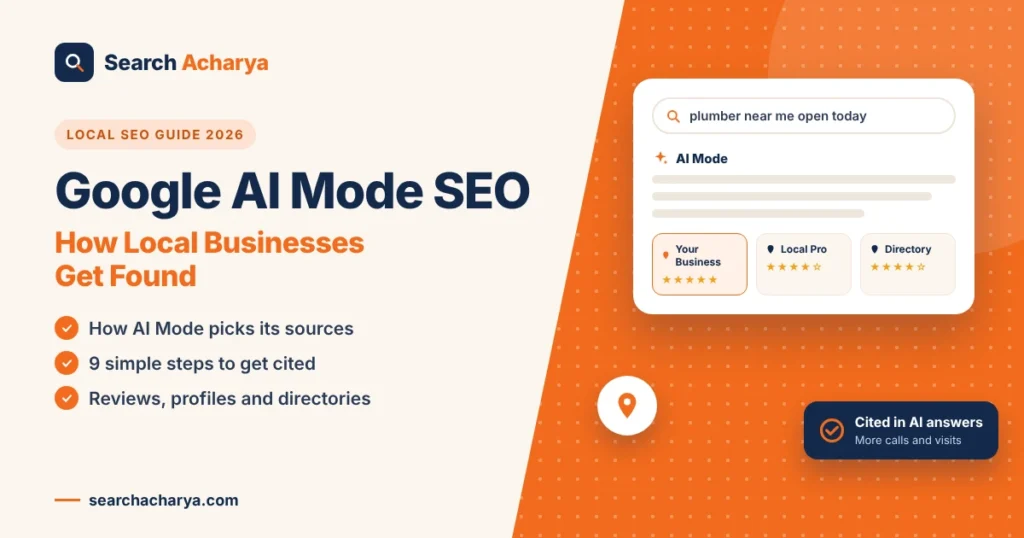
Google AI Mode SEO is the work of getting your business cited inside Google’s AI Mode answers, not just in the regular blue links. When someone asks AI Mode for “a licensed plumber near me who can come today,” the reply names a few businesses and links to the sources it trusted. Below are 9 simple steps to become one of those cited businesses, plus how AI Mode picks its sources.
What is Google AI Mode?
Google AI Mode is a conversational search experience inside Google Search. Instead of a page of links, it writes one answer using Google’s Gemini AI models, shows the sources it used, and lets you ask follow up questions in the same thread. You open it from the AI Mode tab on the Google results page.
Google first launched AI Mode in the US in 2025 and has kept adding to it. At Google I/O in May 2026, the company rebuilt more of Search around AI and added agent style features that help people plan, compare and book [VERIFY]. People also search differently in AI Mode. They type or speak longer, more detailed questions, often two or three sentences instead of three words.
How is AI Mode different from AI Overviews and classic search?
| Feature | Classic search | AI Overviews | AI Mode |
|---|---|---|---|
| What you see | Blue links and the map pack | A short AI summary above the links | A full AI written answer with sources |
| Follow up questions | Start a new search | Limited | Ongoing conversation |
| Best for | Finding a known website | Quick facts | Complex questions and planning |
| How sources appear | Ranked list | A few linked sources | Several cited sources, often in a side panel |
How does Google AI Mode choose which businesses to cite?
AI Mode uses a method Google calls query fan out. It splits one question into many smaller searches, gathers passages from web pages, business profiles, reviews and other data, then writes a single answer and cites the sources it trusts most. Your page can be cited for one small part of the question.
Say a homeowner in Houston asks: “Who can fix a burst pipe on a Sunday, and what will it cost?” AI Mode might quietly search for things like:
- Emergency plumbers open on Sunday in Houston
- Burst pipe repair cost in Houston
- How to check a plumber’s license in Texas
- Plumber reviews that mention fast response times
- What to do while you wait for the plumber
Each of those smaller searches pulls its own sources. That’s why a page that never ranks first for “emergency plumber Houston” can still get cited, because it gave the clearest answer to one of those hidden questions.
Two things are worth knowing here. First, Google does not show these hidden searches in Search Console, so any tool that claims to list them is making an educated guess. Second, the sources AI Mode cites only partly match the top 10 organic results. Studies disagree on how much they overlap [VERIFY]. Ranking still helps, but clear answers and trust decide who gets named.
Does regular SEO still matter for Google AI Mode?
Yes. AI Mode pulls from Google’s search index, so a page that can’t be crawled and indexed won’t be cited. The classic basics still count: fast pages, clear titles, helpful content and a complete Google Business Profile. AI Mode adds new expectations on top, mainly clear answers to sub questions and strong trust signals.
Think of it like this. Traditional SEO gets your business into the room. AI Mode SEO makes sure you’re the one quoted when the question comes up.
What are the 9 steps to get your business cited in Google AI Mode?
To get cited in Google AI Mode, complete your Google Business Profile, keep your name, address and phone the same everywhere, answer real customer questions on your pages, cover follow up questions, share prices and timelines, earn reviews, list on trusted directories, add LocalBusiness schema and keep your content fresh.
You don’t need a big budget for any of this. Most of these steps take an afternoon, and they also help your regular Google rankings and your map listing.
Step 1: Complete your Google Business Profile
Your Google Business Profile is the free listing that shows your business on Google Search and Maps. AI Mode leans on it heavily for local questions. Fill in every field you can:
- Primary and secondary categories (be specific, like “Emergency plumber” rather than just “Plumber” if it fits)
- Regular hours and holiday hours
- Every service you offer, with short descriptions
- Your service area by city or ZIP code
- Real photos of your team, vans, storefront and finished work
- Attributes such as “Veteran owned,” “Wheelchair accessible” or “Online appointments”
Post an update every week or two. A new photo, a seasonal offer or a quick tip all count.
Step 2: Keep your NAP the same everywhere
NAP stands for name, address and phone number. When these details match across your website, Google Business Profile, Yelp, Facebook, the BBB and local directories, AI systems feel more confident that you’re a real, active business.
Small differences cause confusion. “Smith Plumbing LLC” on one site, “Smith Plumbing & Drain” on another and an old phone number on a third can make AI tools skip you. Pick one version and update every listing to match.
Step 3: Write pages that answer real customer questions
AI Mode looks for passages it can quote cleanly. The easiest way to give it one is to use the real question as a heading and answer it right underneath in two or three sentences.
A heading like “How much does it cost to unclog a drain in Dallas?” followed by a direct answer with a price range is far more quotable than a paragraph that says “We offer affordable drain services.” Answer first, then add the details.
Step 4: Cover the questions behind the question
Remember query fan out. For every main service you offer, list the follow up questions a customer usually asks, then make sure your site answers each one:
- What does it cost?
- How long does it take?
- Do I need a licensed pro, or can I do it myself?
- How do I choose between two options (repair or replace, for example)?
- Which neighborhoods or cities do you serve?
- Are you available after hours or on weekends?
You can answer these on your service page, a cost guide and an FAQ page, then link them together.
Step 5: Publish real prices, timelines and details
Vague pages rarely get quoted. Specific ones do. If you can, share price ranges, typical timelines and what affects the cost.
Something like “Most water heater replacements in our area take 3 to 5 hours, and the price depends on tank size, fuel type and permits” gives AI Mode a clear fact it can use. If prices change often, use a range and say it varies by job.
Step 6: Earn more reviews, and reply to every one
Reviews are one of the strongest trust signals for local businesses. They also help AI Mode understand what you do, because customers mention specific services and neighborhoods in their own words.
Ask every happy customer for a review, ideally with a short text link right after the job. Reply to every review, good or bad, politely and quickly. Never buy or fake reviews. The FTC’s 2024 rule on fake reviews allows penalties for businesses that do, and Google removes them too.
Step 7: Get listed on trusted local directories
AI tools cross check information across many sources. When your business appears with the same details on several trusted sites, it’s easier for AI Mode to confirm you exist and serve a certain area.
Start with the big ones, then add a free listing on Search Acharya, where people compare local businesses by hours, reviews and location. Every listing is reviewed before it goes live, which helps keep the information accurate.
Step 8: Use structured data the right way
Structured data (also called schema markup) is code that labels your business details so search engines can read them easily. For local businesses, LocalBusiness schema with your name, address, phone, hours and service area is the place to start.
Keep expectations realistic. Schema helps Google understand your page, but it doesn’t guarantee a spot in AI Mode, and there’s no special “AI schema” that does. Google has also phased out FAQ rich results [VERIFY], yet a clear FAQ section still helps readers and gives AI tools ready made answers.
Step 9: Keep your content fresh and easy to crawl
Out of date hours or old prices can push AI Mode toward a competitor. Review your key pages every few months, update seasonal content and fix anything that’s changed.
Also make sure Google can reach your site. Check that your robots.txt file isn’t blocking Googlebot, your pages load quickly on phones and your important pages are indexed in Google Search Console.
How can you tell if Google AI Mode is sending you customers?
Google doesn’t offer a separate AI Mode report for most site owners. AI Mode clicks are counted inside your regular Search Console data rather than shown on their own [VERIFY]. The best approach is to watch several signals together and look for steady growth over a few months.
| What to track | Where to find it | Why it matters |
|---|---|---|
| Calls, website clicks and direction requests | Google Business Profile performance | Shows real local actions |
| Branded searches | Google Search Console | Mentions in AI answers often lead to more name searches |
| “How did you hear about us?” answers | Your intake form or phone script | Customers often say “I asked Google” |
| Your business in AI Mode answers | Test 5 to 10 common customer questions each month | Shows if and how you’re cited |
Keep a simple monthly log. Over time, you’ll see which pages and services AI Mode cites most.
What mistakes keep local businesses out of AI Mode answers?
Most businesses that never get cited in AI answers make one or more of these mistakes:
- Hiding prices completely, so there’s nothing specific to quote
- “We do it all” pages with no clear service details
- Outdated hours, closed locations or old phone numbers
- Copy and paste city pages that only swap the city name
- Few reviews, or reviews with no replies
- Different business names or addresses across listings
- Blocking search engine crawlers by mistake
- No phone number or address anywhere on the website
Fixing even two or three of these can make a real difference.
Quick Google AI Mode SEO checklist
Use this list as your monthly reminder:
- Google Business Profile 100% complete with categories, hours and photos
- Same name, address and phone number on every listing
- Service pages with question headings and short, direct answers
- Price ranges and timelines where you can share them
- A steady flow of new reviews, each one with a reply
- Free listings on trusted directories, including Search Acharya
- LocalBusiness schema added and tested
- Key pages reviewed and refreshed every few months
Frequently Asked Questions
Is Google AI Mode available in the US?
Yes. Google AI Mode is available to users in the US and many other countries, and it’s free to use. People can open it from the AI Mode tab on the Google results page.
Can I pay to get cited in Google AI Mode answers?
No, you can’t pay to be cited in the organic AI answer. Google has started showing ads in and around AI experiences [VERIFY], but those are separate from the sources AI Mode chooses on its own. Organic citations come from trust, relevance and clear content.
How long does it take to get cited in AI Mode?
There’s no fixed timeline. Many businesses notice changes within a few weeks to a few months after updating their profile, pages and reviews. Results depend on your competition, location and how much you improve.
Do I need a website, or is a Google Business Profile enough?
A strong Google Business Profile can get you mentioned in local AI answers. A website gives AI Mode much more to cite, though, like prices, service details and FAQs. For the best results, have both and keep them consistent.
Will Google AI Mode replace Google Maps and the local pack?
Not right now. Classic search results, the map pack and Google Maps are still part of Google. AI Mode is an extra way to search, and many people use both depending on the question.
Does listing my business on directories like Search Acharya help with AI Mode?
Yes, it can help. Accurate listings on trusted directories give AI tools more places to confirm your name, address, phone and services. They also send direct visitors who are already comparing local options.
Do I need special schema or code for AI search?
No. There’s no special AI schema that guarantees a citation. Standard LocalBusiness schema, a crawlable website and helpful content are what matter most.